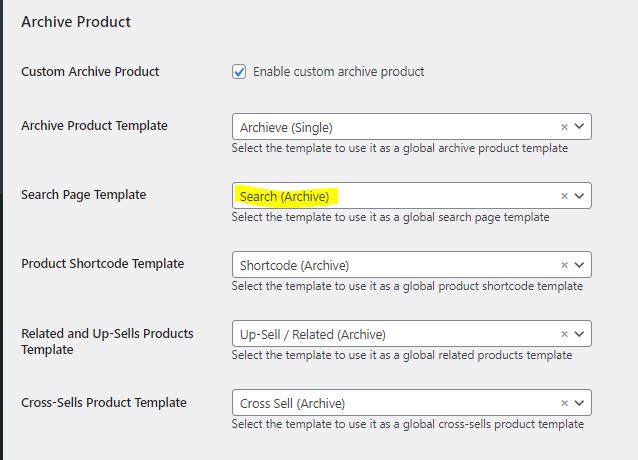
For this, you can simulate the search using the Search Widget from Jet Blocks, and toggle the “is product Search”. When you search, it will be redirected to the main Shop Template (For now, you can’t specify a specific shop template like custom taxonomy), Try searching for “logo” below.
Searching products will be redirected to the main Shop Template
The difference is, on the product Loop widget, it will use the Search Archive instead of the normally used archive product template
If the Template is not selected (Default), the default woocommerce template will be used.
Your Search Keyword will be show in the Page Title
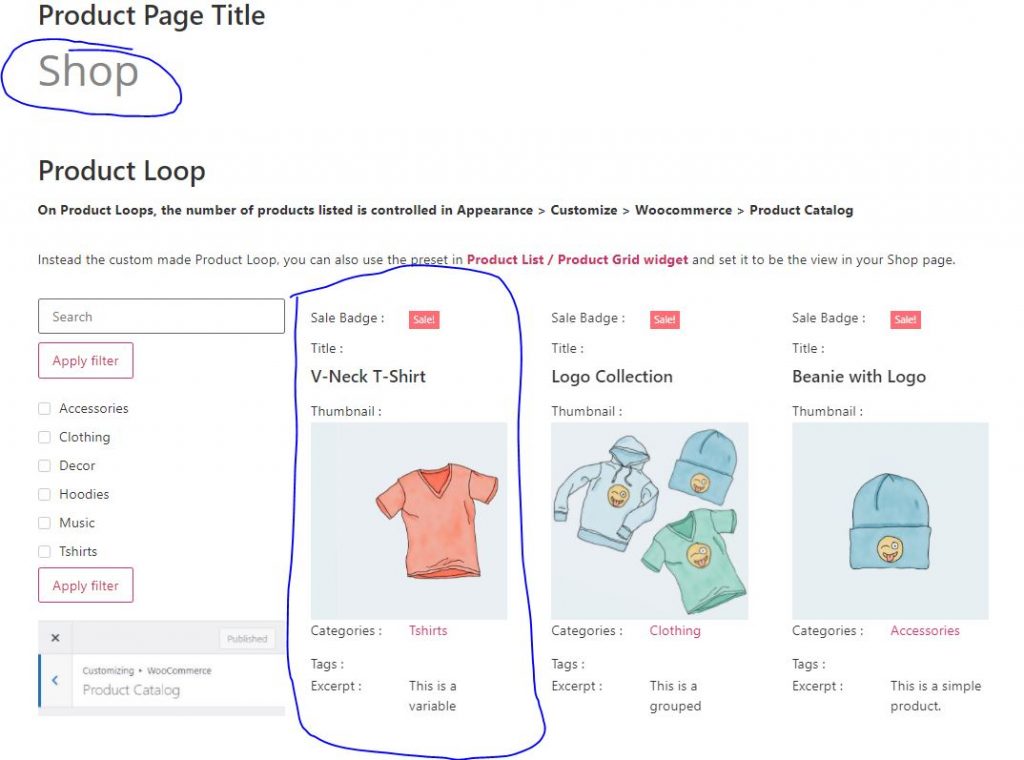
normal shop page will have it’s Product Page title & using the selected archive product template in the widget
Shop page arrived from search will have the product page title set to the search result keyword, and the Product loop using Search Archive.
Also, when you remove the search filter, the initial Searched Keyword (in this case “logo” ) will remain, you can’t clear the name filter that arrived from jet block Search (is product) feature.
e.g : – you search for “logo” from this page – you use jet smart filter Search for “beanie”. Now it will search for “beanie”. – you clear the jet smart filter Search. But it will revert to “logo” instead of clearing the whole search.