Jet Engine (Core) - Data Side
Jet Engine is a plugin that allows Dynamic Content such as Custom Content to be put in the site. The main Default type from WordPress are generally divided by 3 type :
- Post – the actual content of the site
- Taxonomy (Category & Tags) – Groupings of content
- User – For identifying unique visitor
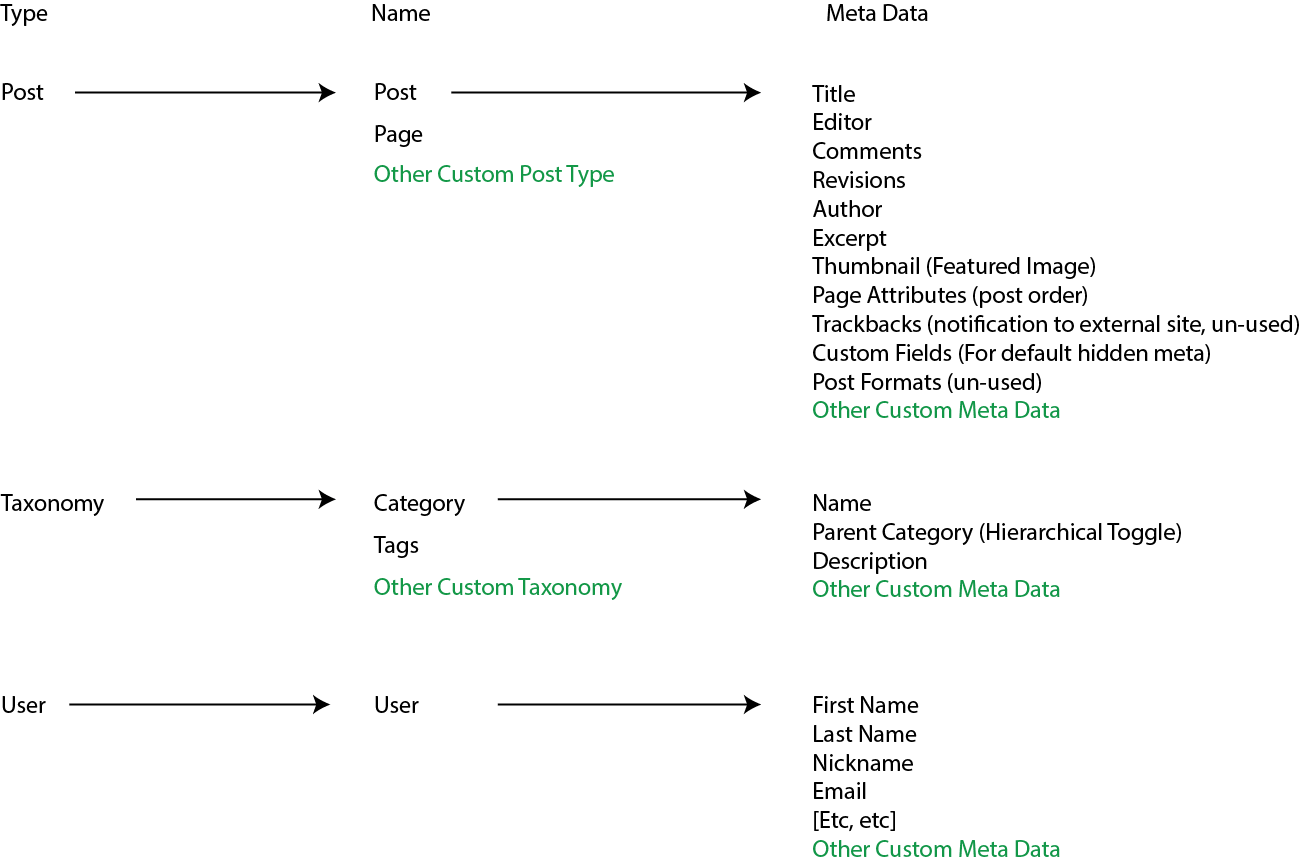
This is the core of adding Powerful toolset to WordPress. Let’s see how WordPress Handle it by default :
- we can see Page in wordpress is just a Custom Post Type without Grouping capability
- There’s 2 Default Taxonomies (Groupings) in wordpress, namely Category & Tags
- If you’ve worked with Woocommerce, Products is just a Custom Post Type
note that plugin That provides Dynamic Content like Jet Engine / Advance Custom Field plays around the concept in WordPress where we can :
- create Custom Post Type (CPT) – with custom meta data
- Custom Taxonomy (Custom Groupings) – with custom meta data
- Adding Custom Meta Data to Existing Post, Taxonomy, or User
- Etc.
NOTE* : If you want to enable Hierarchical Toggle in Custom Post type, you have to add “Page Attribute Capability”.
Creating Custom Post Type
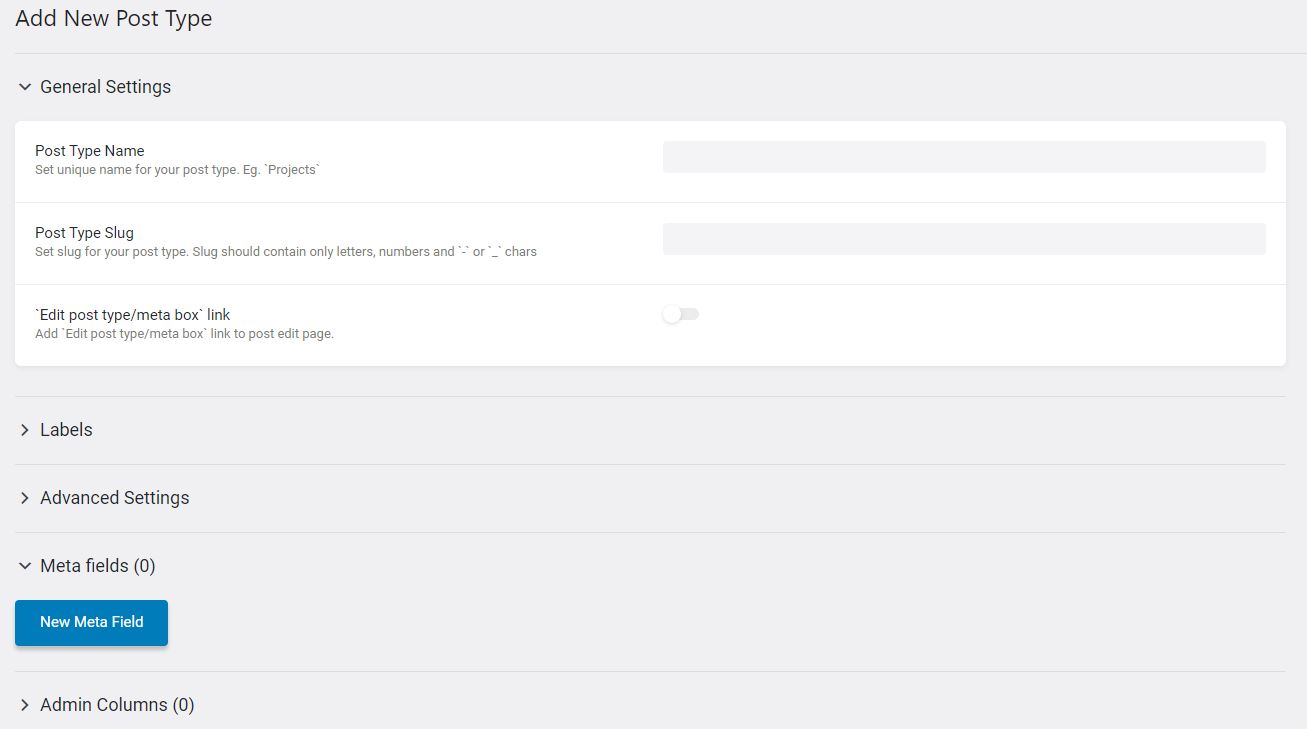
When you go to Jet Engine > Post Type & Add new, you will presented by this page
- General Settings : Put the name & slug (url representaion) of your custom post type
- Labels : Changing the Labels Text on various place of the custom post type (Add new text, Singular post name text, etc)
- Advanced Settings : lot of settings of the custom post type, you can leave it be but there’s some notable things to look at. Explained below.
- Meta Fields : Extra field with custom data type that you want to put into each of your post (explained below)
- Admin Columns : Adding columns when viewing all instance of the custom post type (to sort, or just to better see overview glance). will be explained below.
Advanced Settings
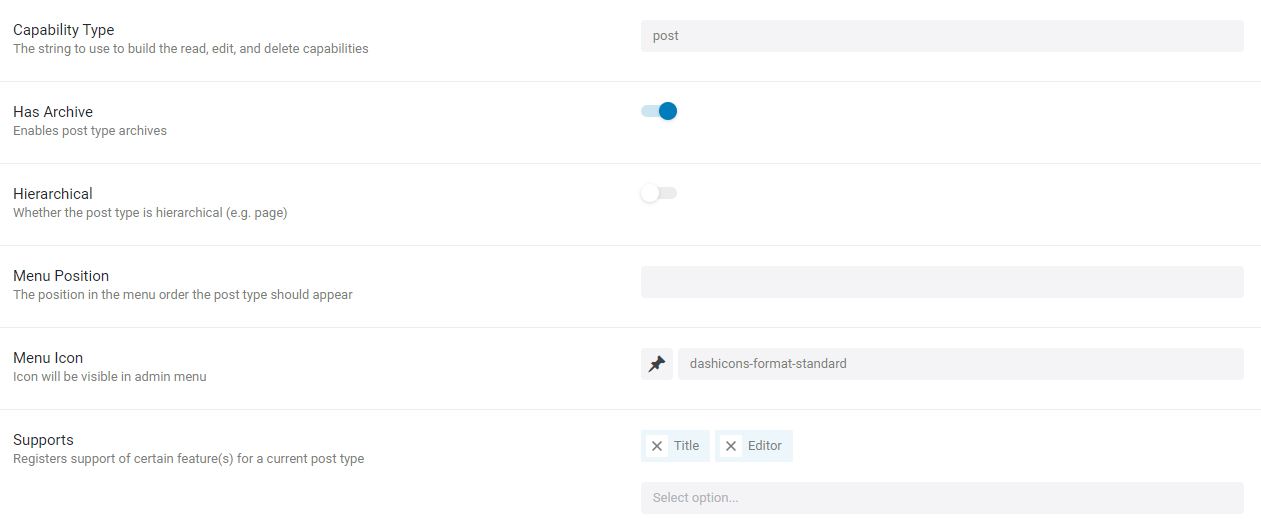
- Has archive : Enable / disable the default archive page created for the CPT (see what is archive page on the next page)
- Hiearchical : enable the post to select another post to be it’s parent post like what we can do with Page.(This is different than post relations), To enable this, we need to also put “Page Attribute” in Supports or this wont work
- Menu Position : menu position in the dashboard sidebar (not 1,2,3,4, try higher number, like 20, 40, 60) because each menu on admin bar has arbritrary menu position number and not in order. Just trial and error until you get the position that you want.
- Supports : Select which of the default capability of a normal post that you want to enable in your custom post type.
Meta Fields
As of Jet Engine 2.8.6, there’s 18 Data type that can be used namely :
- Text
- Date
- Time
- DateTime
- Text Area
- WYSIWYG (What you see is what you get) editor
- Switcher (True / false)
- Checkbox
- Icon Picker
- Radio
- Select box
- Number
- Color picker
- Posts
- Media
- Gallery (lots of media)
- HTML (not used)
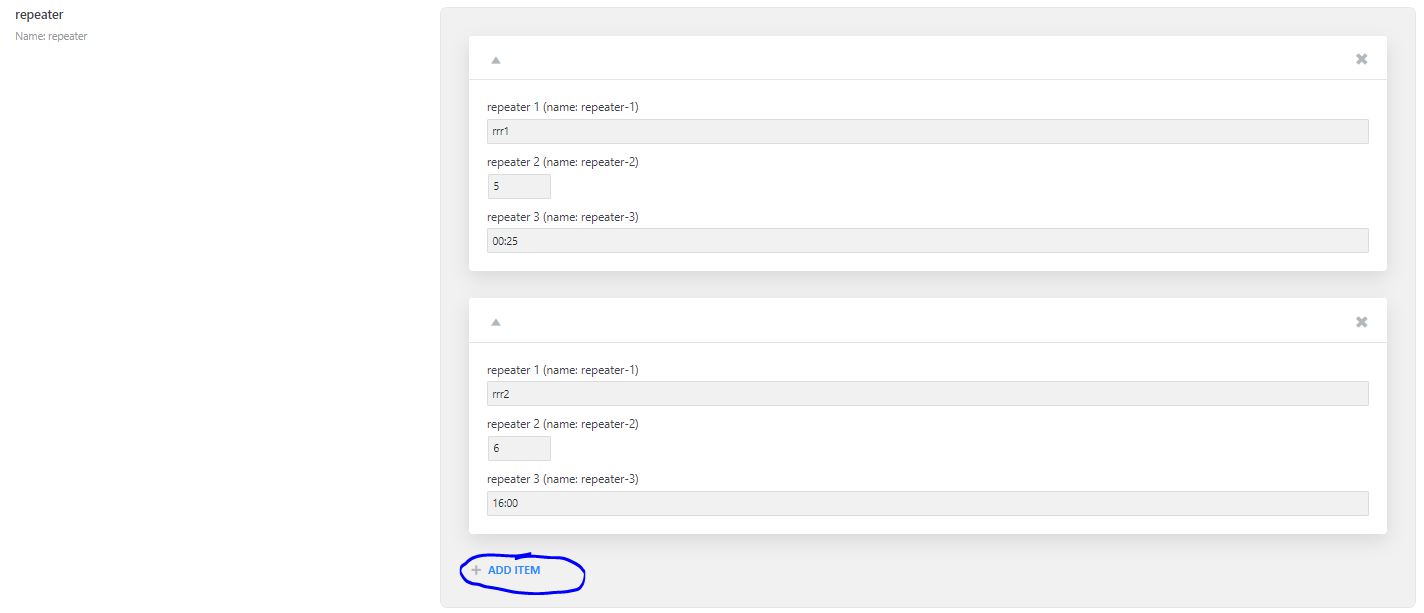
- Repeater Field (Can’t include another repater field)
*Repeater field is a field that can have multiple meta data type and dynamically added for each post.
E.g : Each Recipe have different number of ingredient, thus we can include a Repeater field with Text & Number field, that can dynamically added as many or as little as we want.
Admin Columns
When viewing custom post type in a glance, usually there’s only default column like Title, and Date. If you want to add new column based on a meta data & can enable sorting etc when on the table view, add a custom admin column.
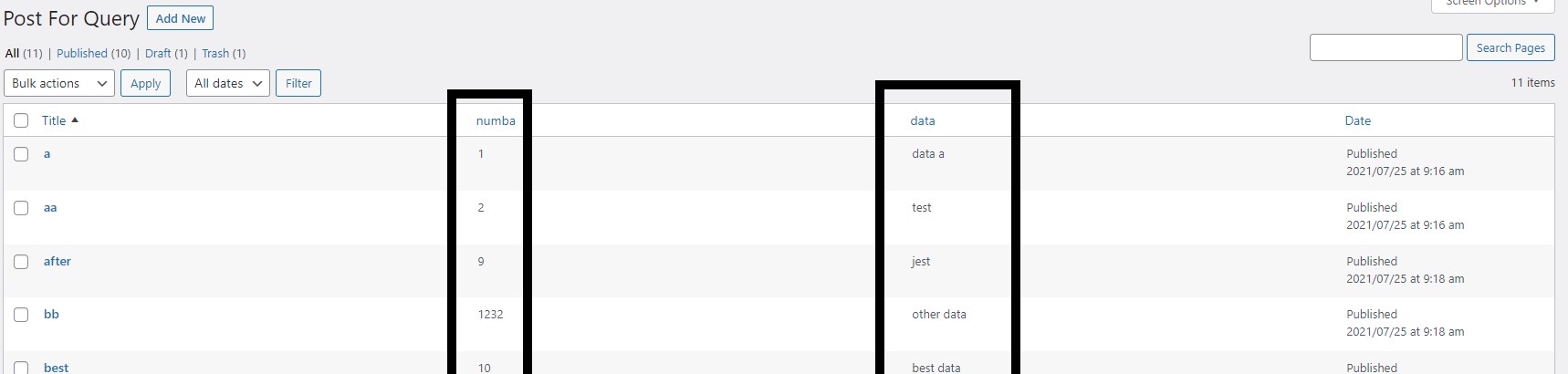
Note * : when enable sorting, pay attention what type of data are you sorting to, if it contain numbers, toggle the “Is Numeric Field”, so it will sort properly.

Custom Taxonomies & Meta Boxes
We will not cover the creation of Custom Taxonomies & Meta Boxes in depth here because the creation is really similar to Custom post types. with some notable info
- Custom taxonomies : The default Capabilities is Name, Slug, & Description. Enable Hierarchical, always because it makes selecting the taxonomy easier. And finally, add any custom taxonomy that you want.
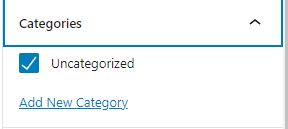
Hierarchical : all the available custom taxonomy is listed
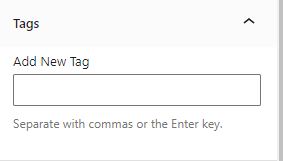
Non Hierarchical : you have to search when adding new Taxonomy.
- Meta Boxes : This is simply just a list of additional Meta data that you want to add to a certain post. Use this to :
- add meta data to the default post, page, tags / catagories.
- or make a meta data that you want to implement to multiple post (maybe sharing a template later on).
Options & Relations
Other than those 3 Types, there are 2 additonal Data Type that could be stored by Jet engine :
- Options Pages
Unlike Post / Taxonomy / User that can have multiple instance of itself (e.g : multiple post, lots of categories, etc), Options page is just a page with a list of meta data. Usually used to store site-wide data that could be used everywhere. e.g : woocommerce settings page.
- Relations (Post)
One of the very important concept, of dynamic data. Specify the relationship between different Post type. There’s 3 type of Relationship that can be selected (with example):- One to One
A Country have 1 Capital, and a Capital can only be owned by 1 Country :
“Country with Capital“ - One to Many
A Country can have many City, but a City could only be in 1 Country :
“Country with City“ - Many to Many
An Worker can have lots of Work Documents, and a Work Documents can be owned by multiple Worker
“Worker with Work Document“
- One to One
Note that as of now, direct recursive relation is not possible (e.g :a Worker can’t have a relation to itself, like boss or subordinate)
Query Builder
A new feature to better filter & select which post to show on the Listing Grid by the use of “Custom Query”. This will be explored later.