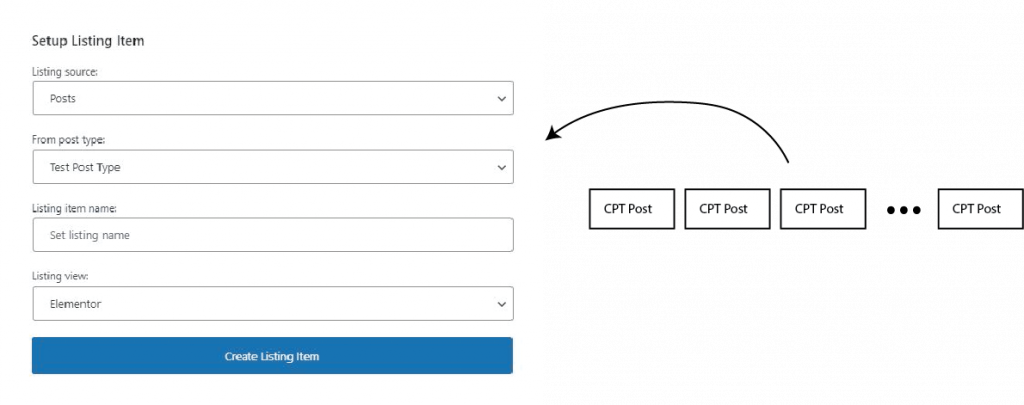
When we create a Listing, we need to select what is the type of content that the listing will show, So other than the template that we create inside the listing, the listing will know that it will show all data specified in the listing items.
In the above case, The listing will show All posts from Test Post Type and contain the Template itself
2. Use the Listing in the listing Grid
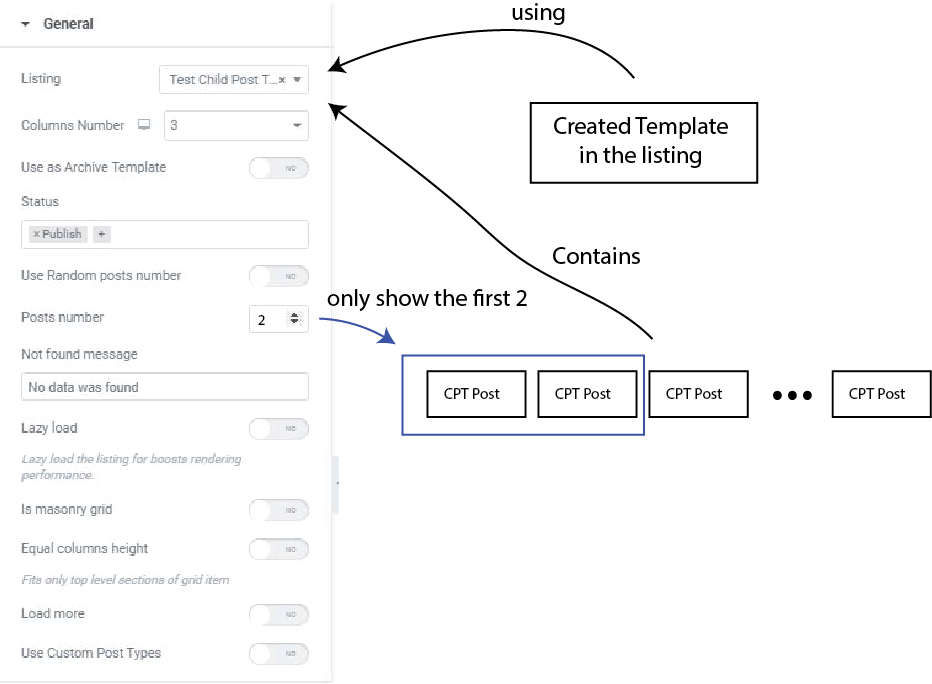
When we use the listing in the Listing Grid, we basically told the listing to use the Template we created in the listing and to repeat the template for all posts contained in the listing.
But as we can see, there’s other setting in the filter, for example Posts number, if we set it to 2, then it will only grab the first 2 posts in the listing instead of displaying everything.
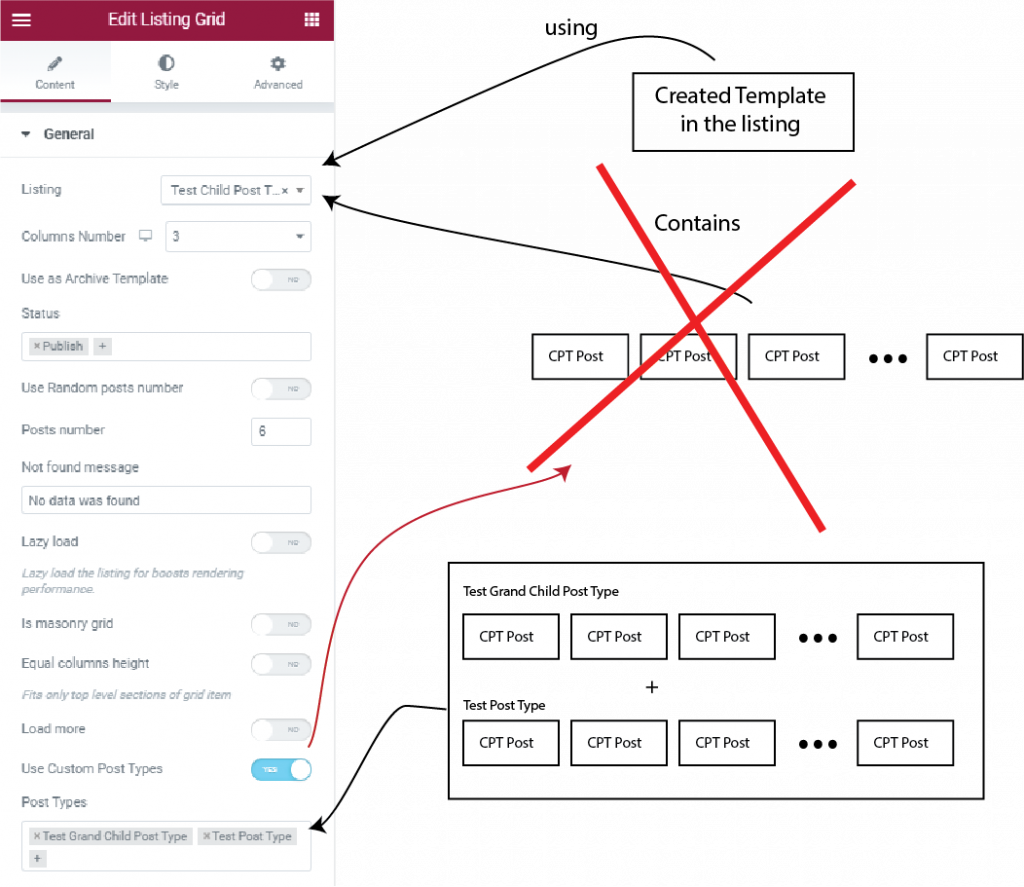
3. Using the Custom Post Type Toggle
You can also click the Use Custom Post Types Toggle to replace the posts list specify in the Listing, and enable you to set the custom posts type that the Listing Grid will use While still using the template of the Specified Listings.
This is useful when you want to use the different post type using the same listing template, this is often used for other post type that use same meta data name in template. We can make a meta boxes in jet engine that applies to multiple post type to make it simpler.
4. Using Custom Query to replace the posts list
There’s new feature in the Jet engine called Query builder that let us create sophisticated query.
When using Custom query toggle & selecting the Query, the posts list will be replaced by the result of the query, and the subsequent Posts Query / Terms Query / Users Query will be ignored.
Other than that, while using custom query, the general section -> the post “Status” filter, use random posts number toggle, posts number, and use custom post Types toggle will be ignored as well.
Posts Query / Terms Query / Users Query only Filters / Sort the posts that already used in the listing grid. It cannot add a posts that doesn’t exist in the list, for the in depth explanation on how to filter / sort using those section, continue to the next section.