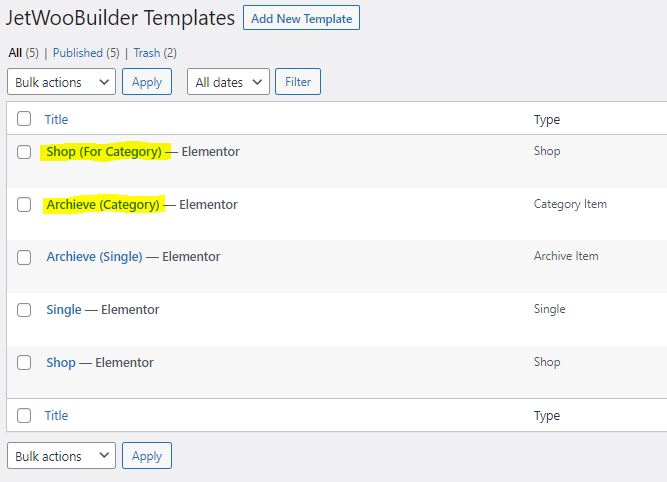
Category Archive is a using Shop Template, and also shown using Product Loop Widget.
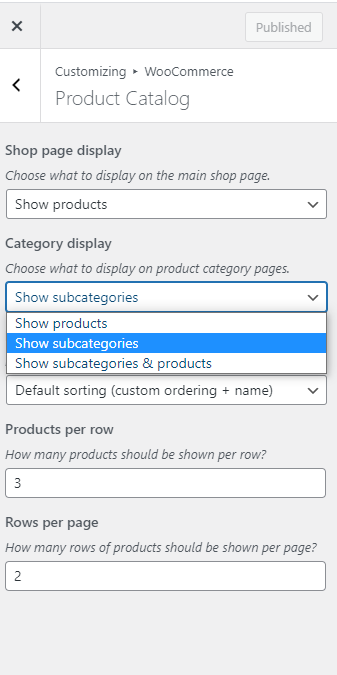
in Appearance > Customize > WooCommerce > Product Catalog, we can specify a Shop page display and Category display
This is also Product Loop Widget :
Title :
Accessories
Thumbnail :
Count :
( 5 )
Description :
This is Description
Title :
Hoodies
Thumbnail :
Count :
( 3 )
Description :
Title :
Tshirts
Thumbnail :
Count :
( 5 )
Description :
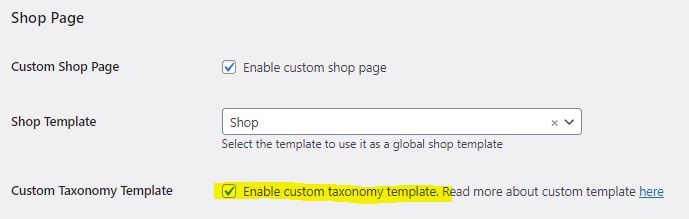
Setting up Different Shop Page for Category Archive (Custom Taxonomy)
If we’re using the same Shop Template on both Shop & Category Archive, It will use the same shop layout & the smart Filter will Still visible even on category page, which we don’t want.
So we want to use Different Shop Template when showing Categories instead of using the normal Shop template.
note : If category display is set to Show subcategories & products then both the subcategoreis & products will be mixed inside the Product Loop Widget which not always necessarily what we want. e.g:
Other times, we want the shop to display Sub Category Only If at has at least 1 Sub-Category, and display Products If the category don’t have any Sub-Category